
Getting it all to run in a browser
An endless world, weather, fog and dust, all running in a browser tab. Here's how we kept Everroad smooth, the bugs we found along the way, and the constant tug of war between atmosphere and speed.
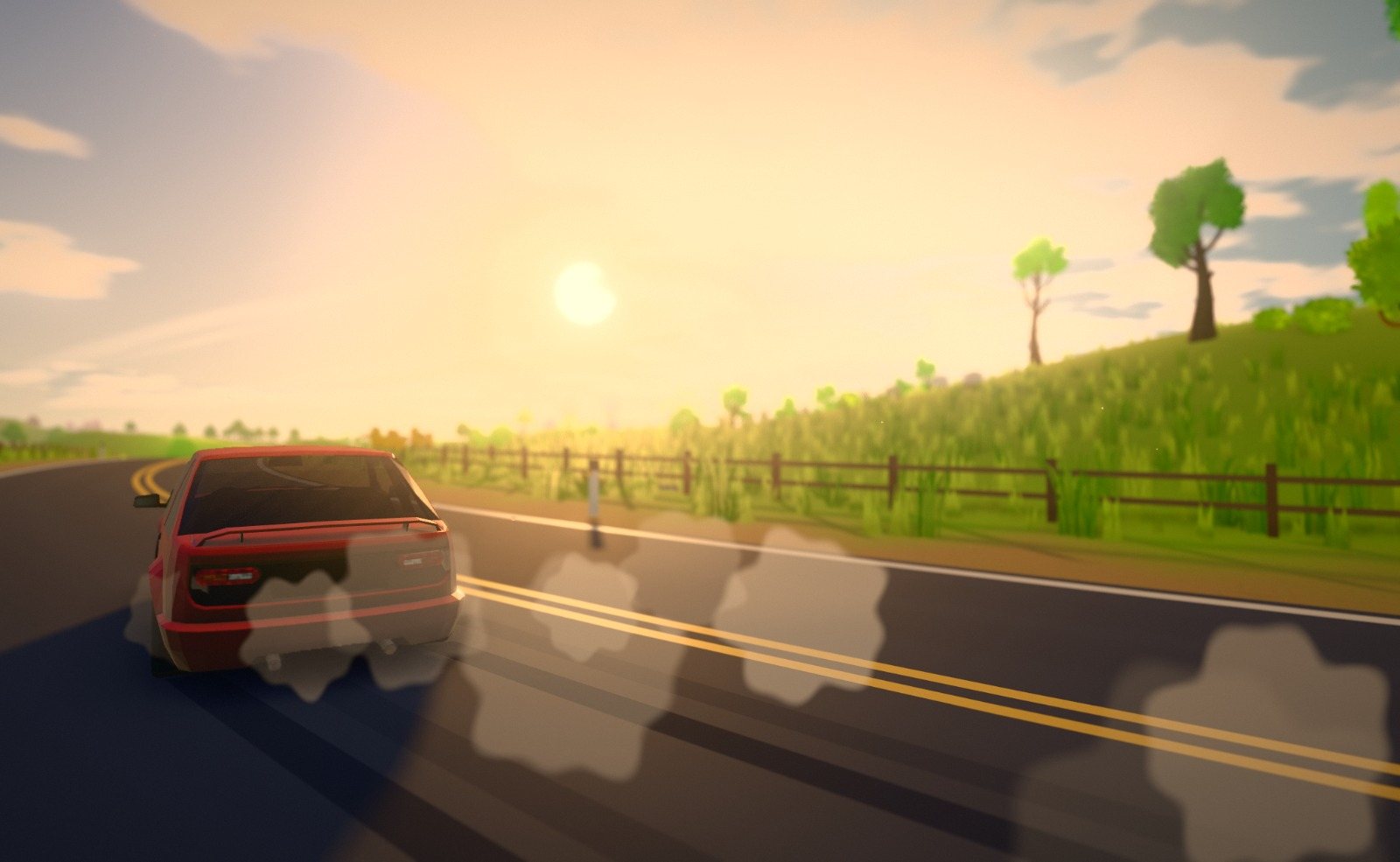
When friends first tried Everroad, almost all of them asked the same question. "Wait, this is in a browser?" It's still my favourite reaction to the game.
It didn't come for free, though. A browser gives you less to work with than a native game, and Everroad asks a lot of it. The world never stops being built, the weather keeps changing, and we keep adding things that make it feel more alive. Every one of those things costs a little time on every frame.
This post is about that balancing act. How we made the world build itself without stuttering, the bugs that were quietly eating frames, and how we keep adding atmosphere without losing the smoothness that makes a calm drive feel calm.
Why a browser at all
We wanted anyone to be able to try Everroad by clicking a link. No download, no install, no account. Send it to a friend and they're driving a minute later.
As we wrote in the first post, there's also no game engine under it. We use three.js, a library that's very good at drawing triangles in a browser. Almost everything else is ours, from the world and the driving to the order everything gets drawn in. That means there's nobody else to blame when it's slow, but it also means we can fix anything.
A frame is a budget
To feel smooth, a game has to draw a new picture sixty times a second or more. That gives you about 16 milliseconds per picture, and everything has to fit. Driving the car, moving the traffic, building new land, the sky, the fog, the rain. If one frame takes too long, you feel it as a stutter, even if every other frame is perfect.
So most of this work came down to two questions. What's taking the time? And does it really need to happen on this frame?
To answer the first one, I wrote a small script that drives the game on its own and records how long every single frame takes. Another one switches the game's systems off one at a time until the stutter disappears. Not glamorous, but they found almost everything below.
Building the world without stopping the car
In the first prototype, the land was built on the same thread that draws the picture. Every time the car got near the edge of the world, the game stopped to build a new tile of land, and you felt a little hitch each time.
Browsers have a way around this called web workers. They're helpers that run alongside the main game, on other cores of your processor. Everroad starts between two and six of them, depending on how many cores your computer has, and they build the land in the background while you drive.
This is where seeds pay off a second time. Because the whole world comes from one number, we never have to send the world to the helpers. Each one gets the seed once, and after that it only needs to know which tile to build.
// once, at the start: here's the seed
worker.postMessage({ type: 'init', seed });

// then, as you drive: please build the tile at (cx, cz)
worker.postMessage({ type: 'chunk', cx, cz, level });
Every helper builds exactly the same land for the same tile, so it doesn't matter which one does the work.
Tiles also come in different levels of detail. The ones right around you are built in full, with grass and every tree. Further out there are fewer details, and right at the edge it's just the shape of the land. That's what let the view stretch from about 600 metres in the prototype to around one and a half kilometres today.
There was one more catch. The helpers often finished several tiles at the same moment, and bringing them all into the world together caused a dip of its own. So now finished tiles wait in a queue and come in one per frame, nearest first. You'll never notice a tile arriving a frame later, but you'd definitely notice five arriving at once.
The tile that came twice
That queue had a sneaky bug in it. A finished tile waiting its turn wasn't marked as "on its way", so the game sometimes thought it was missing and asked for it again. It got built twice and added to the world twice. Twice the work, for exactly the same land. Nothing looked wrong, which is why it took the frame timing script to find it.
The dust that halved the frame rate
Gravel roads kick up dust, and dust is lovely. It catches the low sun and hangs in the air behind you. It's also one of the most expensive things in the game.
Each puff of dust is a soft, see-through little cloud, and a dust trail is lots of them stacked on top of each other. To draw that, the graphics card has to paint the same pixels over and over, once for every layer. On my wide 3440 by 1440 monitor, that's around five million pixels to paint many times over, every frame. Driving onto gravel took the game from well over a hundred frames a second down to about forty, for as long as the dust hung in the air.
The fix was to stop drawing dust at full size. Dust is soft and blurry anyway, so we draw it into its own picture at half the width and half the height, then lay that over the finished frame.
// the dust gets its own picture, half as wide and half as tall,
// so a quarter of the pixels to paint
dustPicture.setSize(width / 2, height / 2);

// each frame, if there's any dust about: draw just the dust into it,
// then lay it over the finished picture
Half the size each way means a quarter of the pixels, and because dust is soft you genuinely can't tell the difference. Each puff still hides behind trees, hills and the car, because it checks how far away the scene is at every pixel before it draws. When there's no dust about at all, the whole step is skipped.
That gave us a rule we still follow. Anything soft and see-through that can cover a big part of the screen gets drawn at half size.
The hitch the first time you see something
This one was sneaky. The game would run perfectly, then freeze for a tenth of a second the first time a new kind of car came past. Or the first time you saw a lake. After that, never again.
The cause is shaders, the little programs that tell the graphics card how to draw each kind of thing. A shader has to be prepared before its first use, and the browser does that at the last possible moment, which is the first time something needs it. That's while you're driving.
The fix is to get it all out of the way during the loading screen. Before you take the wheel, the game quietly draws one of everything it might ever show you, hidden away, so every shader is ready before you need it.
// while the loading screen is up, draw one of every kind of thing
// the drive might show, so every shader is ready ahead of time
for (const thing of everythingTheDriveCanShow) {
  warmUp.add(oneOf(thing));
}
renderer.compile(scene, camera);
Every new thing we add to the game now goes on that list. Forget, and the first one you meet comes with a little hitch.
To be completely honest, there's one we haven't beaten yet. The very first skid mark you leave on loose ground still causes a short pause, once per drive, deep inside the browser's own graphics layer. Warming it up hasn't helped so far. It's on the list.
The garbage that caused stutters
JavaScript tidies up memory by itself. When you stop using something, it gets thrown away later. The catch is that the tidying happens when the browser decides, and while it happens, everything pauses for a moment.
Everroad draws a lot of the same things. Hundreds of groups of trees, rocks and fence posts, all sharing a few dozen models. It turned out that every time three.js switched from drawing one group to the next, it rebuilt some setup work and threw the old one away. Tiny bits of rubbish on nearly every draw, and every so often a pause to clear them up.
The fix was to give each group its own small, permanent copy of that setup, so nothing gets rebuilt or thrown away while you drive. It's the least exciting fix in this post, and one of the ones that made the biggest difference to how smooth it feels.
The battle for atmosphere
All of that work buys us room, and we spend it on atmosphere. Atmosphere is what makes Everroad feel like Everroad, and it's what makes us so protective of it.
The prototype had fog, a two-colour sky and some shadows. Today, every frame passes through a whole chain of steps before it reaches your screen.
- Soft shadows in corners and creases, where light can't quite reach. It's called ambient occlusion, and it's what makes the world feel solid.
- Fog that thickens with distance, so far hills fade into the haze the way they do on a real summer afternoon.
- The dust, at half size.
- Rain, snow and spray.
- A soft glow around the sun, headlights and anything bright.
- A colour grade, with a gentle vignette and a touch of film grain.
Some of the prettiest effects only switch on when they matter. Sun shafts, the rays of light streaming through the trees, only run when the sun is low and actually in front of you. The rest of the time they're skipped completely and cost nothing. The blurry background in photo mode only exists in photo mode. The northern lights only appear on clear winter nights, and they're made almost entirely of maths, so they cost next to nothing. They'll get a post of their own soon.
That's become the way we think about it. Atmosphere is only expensive if it runs when you can't see it.
When something still costs too much, it gets a setting instead of being cut. The Balanced preset draws the world at three quarters of the size and switches off the soft corner shadows, which helps a lot on older machines. And for very wide screens, the Resolution slider is the best tool there is. In the end, more pixels simply means more work.
What we've learned
A browser gives you a smaller budget than a native game, and that's been good for us. Every feature has to earn its place. Every effect has to look worth what it costs. If something can happen later, or somewhere else, or only when you can see it, it does.
The result is a world that keeps building itself in front of you, dust that hangs in the sunset, and fog that rolls over the hills, all from a link you can send to a friend. We're pretty proud of that.
If you've got questions about any of this, or you'd like a deeper dive into one part, come and tell us on Discord. We love talking about this stuff.
Rein